

Free Guest Wi-Fi
Medical Center Health System offers free Wi-Fi for patients and visitors throughout the hospital, including patient rooms and waiting areas.
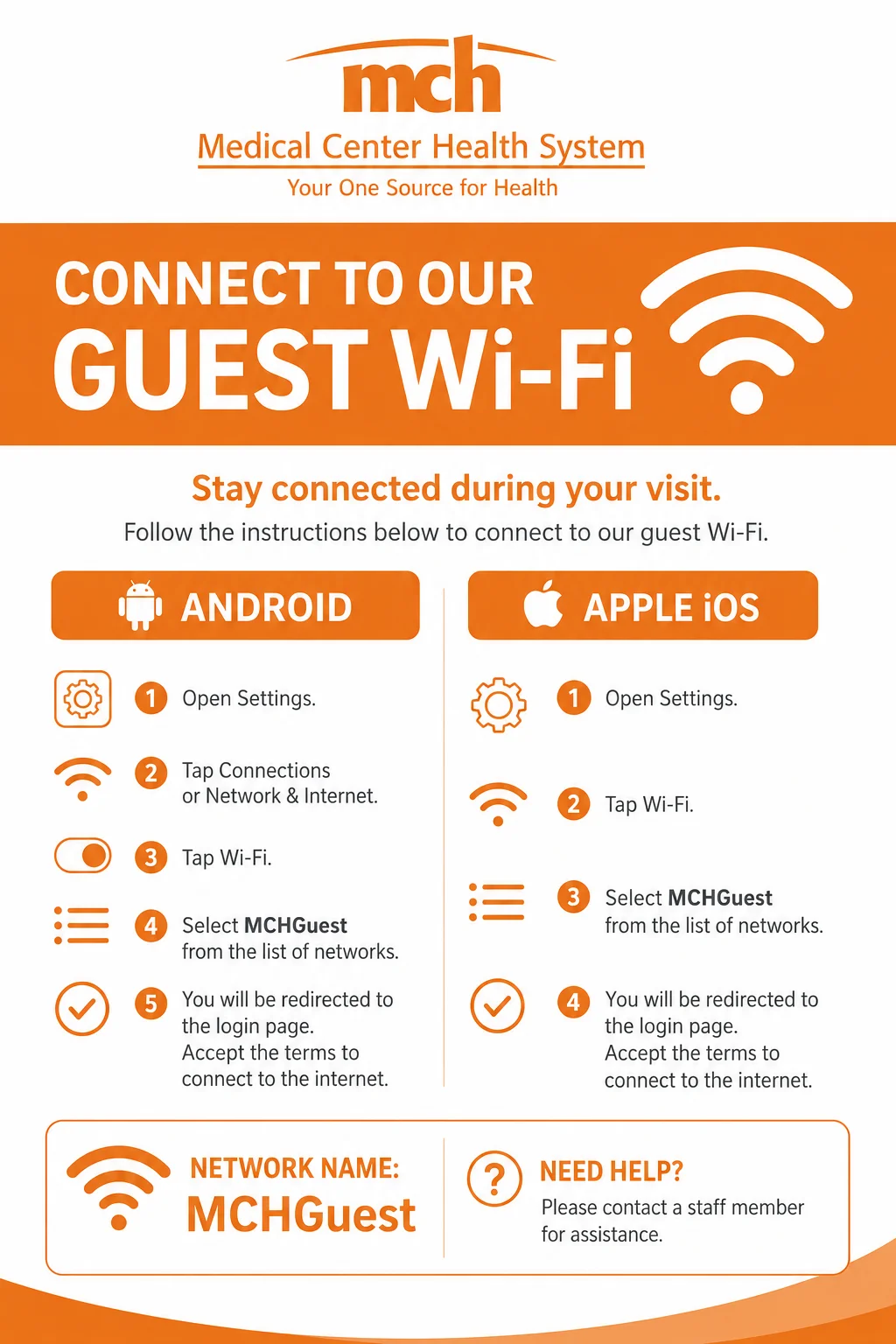
Connect to MCH Guest Wi-Fi
It’s easy to get connected!
- Open Settings on your phone.
- Tap Wi-Fi.
- Choose MCHGuest from the list of networks.
- A webpage will open in your browser.
- Read and accept the terms.
- You’re connected!
Network Name: MCHGuest
Need help?
Ask a member of our staff. We’re happy to help!
Frequently Asked Questions
Where can I use the Wi-fi?
Guest Wi-Fi is available throughout the hospital, including patient rooms and waiting areas.
Is the Wi-Fi free?
Yes! MCHGuest is free for all patients and visitors.
Is the Wi-Fi secure?
MCHGuest is a public Wi-Fi network. For your safety, avoid entering sensitive information like passwords, banking details, or credit card numbers while connected.
What if I can’t connect?
Hospital staff can help you find the Wi-Fi network, but they can’t change settings or troubleshoot personal devices. If you’re having trouble, check your device’s user guide or contact the device manufacturer.
Helpful Tips
- Keep your device’s software up to date.
- Only download files from websites you trust.
- Avoid opening email attachments from people you don’t know.
- Use headphones or keep your device on silent so everyone can enjoy a quiet environment.
Safety Tips
Anytime you are connected to the Internet, you are prone to security risks. Following the tips below will help you minimize some of the security risks.
- Be cautious when filling in personal information (name, Social Security Number, credit card info, etc.) on websites. Your identity can be easily stolen over the Internet if the website does not have built-in security for you. Always check for the padlock symbol at the bottom of your browser that indicates secure sites.
- Do not download files from the Internet unless you are certain that the files are from a safe source.
- Do not open email attachments from email addresses that you do not know. Even if you do know them, make sure the attachment is safe before opening it.
- Install virus protection software and keep it up to date. Ensure that your device has the latest security updates from the vendor (i.e. Microsoft)
Terms & Disclaimer
By using MCHGuest, you acknowledge that this is a public wireless network. While we strive to provide reliable internet access, MCH cannot guarantee uninterrupted service or compatibility with every device and is not responsible for any loss of data, security issues, or damage related to the use of the network.
We’re Here for You
Your Health Journey Begins with
the Right Team in the Right Place
